
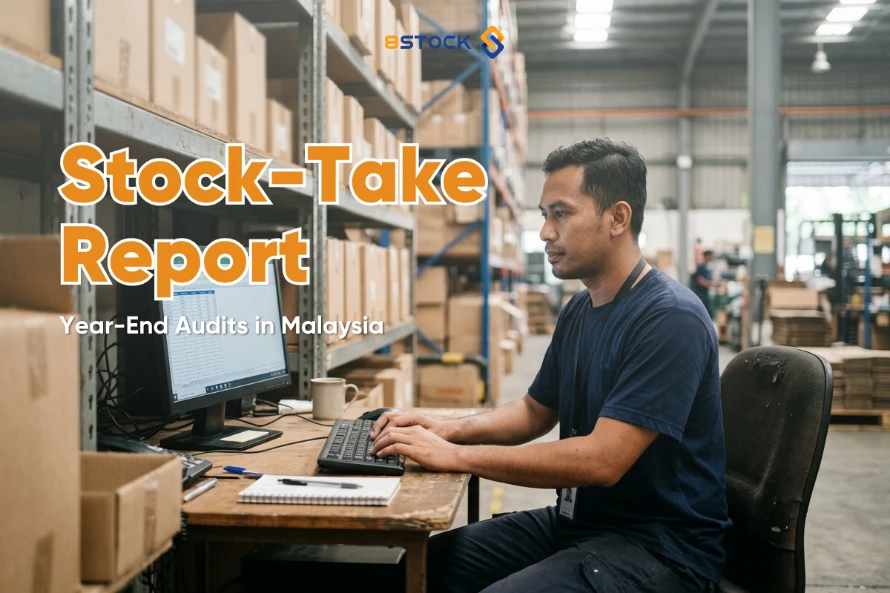
Every SST filing period and financial year-end, the same scramble happens in warehouses and back offices across Malaysia: finance asks for a stock-take report, and the numbers on the shelf don’t match the numbers in the books. That gap isn’t just an accounting headache — it can hold up your SST-02 filing, slow down your audit, and invite awkward questions from Customs or your auditor.
What is Stock-Take Reports?
A stock-take report for SST and year-end audits needs SKU-level quantities, a physical count date, and unit values that reconcile against your accounting records — not estimates. It should export to Excel so your accountant can trace every figure back to the count. Real-time stock data removes the year-end scramble.
Why Malaysian SMEs struggle with stock reporting at SST and year-end season
Most SMEs still run inventory on spreadsheets or disconnected systems that don’t talk to their accounting software. A few recurring problems show up every reporting season:
- Stock counts happen once a year, under time pressure. Without regular cycle counts, book quantities drift from physical reality for months before anyone checks.
- SST records and stock records live in different places. SST-registered businesses must keep adequate records to support their SST-02 return during a Customs audit — but if inventory values and sales data aren’t connected, reconciling them is manual and error-prone.
- Auditors need physical evidence, not book balances. Where inventory is a material line item, auditing standards (ISA 501) generally require the auditor to attend or otherwise verify the physical count — a rushed, undocumented count creates audit findings, not confidence.
- Multi-channel sellers count stock in more than one place. A business selling through Shopee, Lazada and a physical store has to reconcile marketplace-held stock with warehouse stock before any report means anything.
What a proper stock-take report should contain
A report that satisfies both your accountant and your auditor needs to answer three questions for every item: what is it, how much do you have, and as of when. In practice that means:
- Item-level detail — SKU/item code, description, and batch or expiry information for FMCG stock
- Counted quantity and location — the actual physical count, by warehouse or storage location, not a system estimate
- Count date — a fixed date the count reflects, so it can be tied to a specific SST period or financial year-end
- Unit value and total value — using a consistent costing method (e.g. FIFO), so the report ties back to your balance sheet
- Variance from book records — the difference between what the system expected and what was actually counted, with a note on the cause where known
- Export format — ideally Excel, so your accountant can filter, sort and attach it to working papers without re-typing anything
A useful checklist before you submit a stock-take report to your accountant or auditor:
- Is every location included, including consignment or marketplace-held stock?
- Does the count date match the SST period or financial year-end you’re reporting on?
- Have variances been investigated, not just recorded?
- Can every line be traced back to a physical count, not a system assumption?
- Is the report in a format (Excel) your accountant can work with directly?
Malaysian SMEs below SSM’s revised audit-exemption thresholds may not need a full statutory audit every year — but SST-registered businesses still need to keep adequate stock and sales records to support their SST-02 filings during a Customs audit, exemption or not. Always confirm current thresholds and requirements with your company secretary or auditor, as these are periodically revised.
How 8Stock helps
8Stock won’t calculate or file your SST return — that’s your accountant’s job. What it does is remove the guesswork from the stock side of that process:
- Report Management gives you daily, monthly, quarterly or yearly stock-take reports for any date range you choose, so you can pull a report that matches your exact SST period or financial year-end instead of reconstructing one from memory.
- Every report is exportable to Excel, in a line-by-line format your accountant or auditor can reconcile against sales and purchase records without manual re-entry.
- Because Inventory Management keeps one real-time view of stock across locations and sales channels, the report you export reflects what’s actually on the shelf — not a number that’s drifted since the last manual count.
- The 8Stock–AutoCount integration lets accurate stock data flow into your accounting records, so the figures behind your SST-02 and year-end statements are built on the same numbers your warehouse team sees every day.
If your stock-take reports are currently a once-a-year fire drill, that’s usually a sign the underlying system isn’t built for it — not that your team isn’t capable.
Request a Demo or WhatsApp us at +60 12 381 1376 to see how 8Stock’s reporting works for your business.
See how this fits into a full warehouse system on the Report Management page.
FAQ
What should a stock-take report for SST purposes include? It should list every item by SKU, the physical count quantity and location, the count date, unit and total value, and any variance from your book records. This level of detail is what supports your SST-02 filing and satisfies an auditor or Customs officer reviewing your records.
How often should a Malaysian business run a stock take? At minimum, once at your financial year-end, since auditors generally need to verify inventory that’s material to your financial statements. Many SMEs also run monthly or quarterly cycle counts on fast-moving SKUs so book records don’t drift far from reality between formal counts.
Can stock reports be exported to Excel for my accountant? Yes. 8Stock’s Report Management module lets you generate daily, monthly, quarterly or yearly stock-take reports for any date range and export them to Excel, in a format built for reconciliation rather than re-typing.
Does 8Stock calculate or file my SST return? No — 8Stock doesn’t calculate SST or file returns. It gives you accurate, exportable stock data, and through the AutoCount integration, that data flows into your accounting records so your accountant can prepare SST and year-end reports on accurate numbers.
Ready to stop scrambling every reporting season? Request a free 8Stock demo or WhatsApp +60 12 381 1376. See how 8Stock’s AutoCount integration keeps your stock and accounting records in sync year-round.